 webrox
Everything included, on every plan you choose
No add-on modules, no "contact sales" features hidden behind a paywall. Here's exactly what Webrox does.
Get paid, without the paperwork headache
Create a professional, ATO-compliant tax invoice in under a minute. Send quotes that clients can accept online, then convert them to an invoice with one click — nothing to re-type.
- Branded PDF invoices & quotes, emailed straight to your client
- Line-item and whole-invoice discounts
- Schedule an invoice to send at a future date and time
- Duplicate a past invoice instead of starting from scratch
- Automatic overdue flagging and optional reminder emails
Bill the hours you actually worked
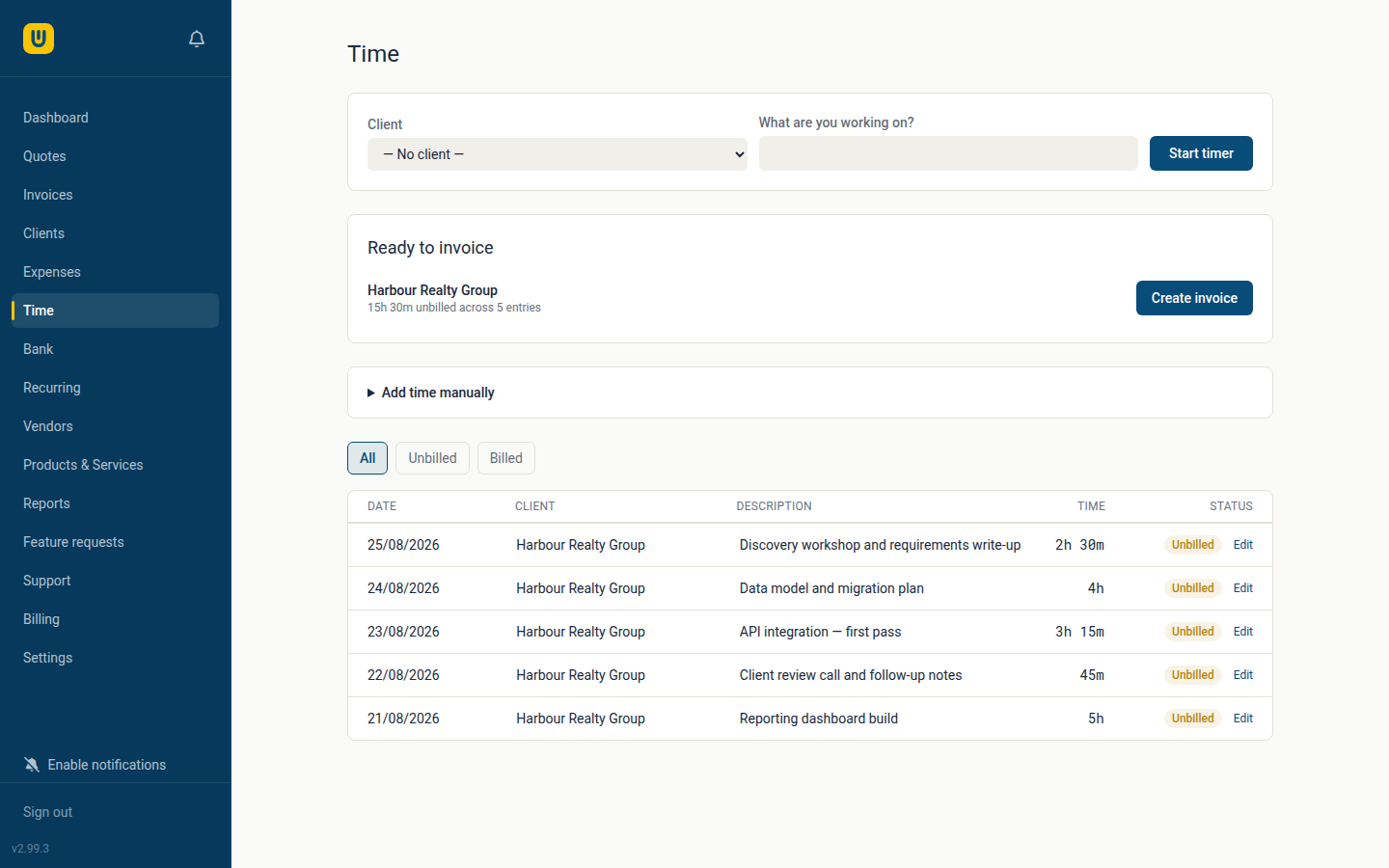
Start a timer when you sit down to work, or type the hours in afterwards — either way they land in one list, per client, waiting to be invoiced. When you're ready, Webrox turns the unbilled time into a draft invoice you review before it goes anywhere.
- A running timer that survives a closed tab — your work isn't lost with the browser window
- Unbilled hours totalled per client, so you can see what's owed to you before you invoice it
- One step from tracked time to a draft invoice — nothing is sent until you say so
- Your hourly rate is saved onto each entry, so changing it later never rewrites past work
- Once time is invoiced it's locked to that invoice, so the same hours can't be billed twice
Snap a receipt — Webrox reads it for you
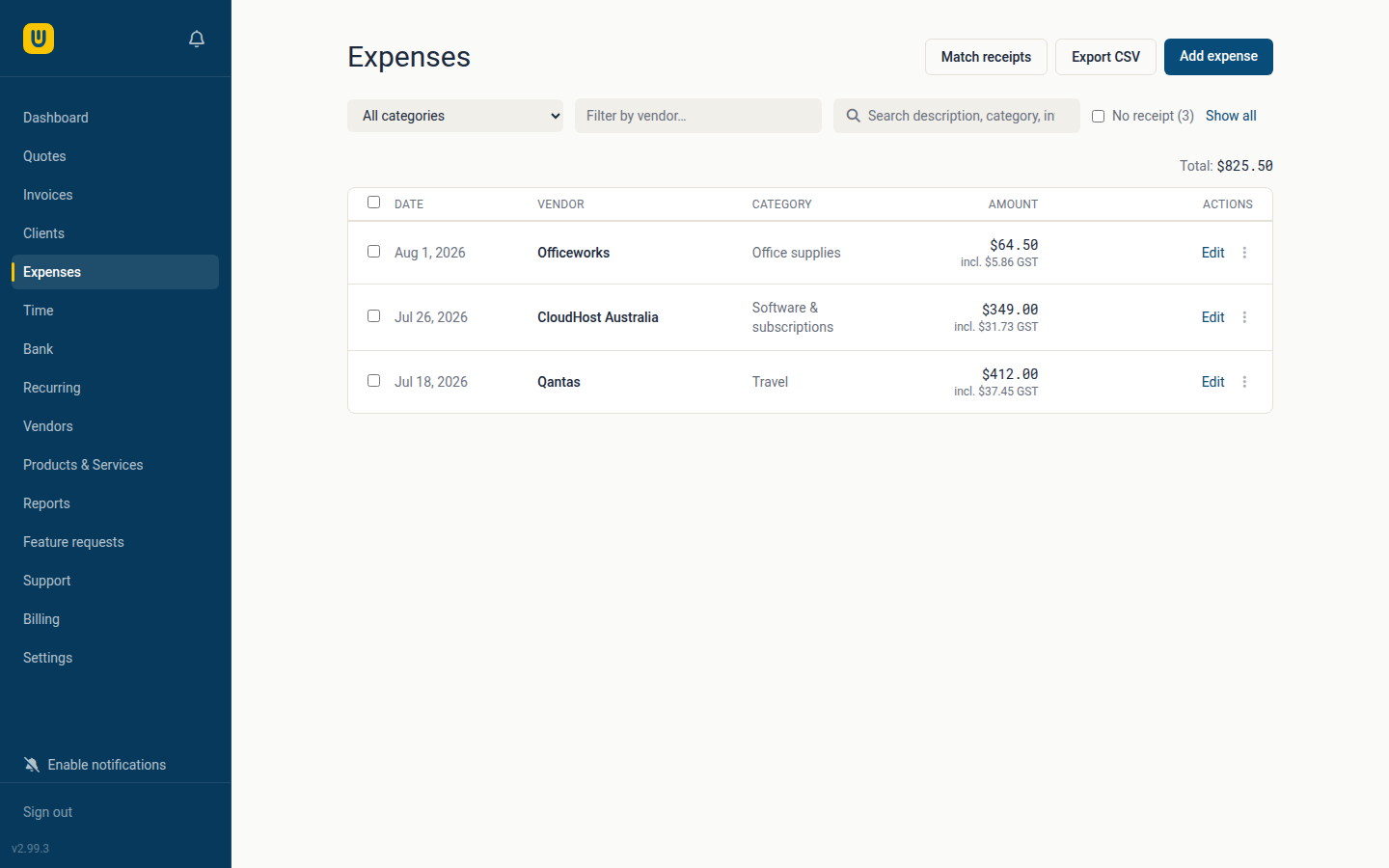
Photograph or upload a receipt and AI scanning pulls out the vendor, amount, date and GST for you, then automatically matches it to an existing expense if there's a candidate.
- AI receipt scanning fills in the details automatically*
- Automatic vendor recognition and default categories
- Business-use % for expenses that are part personal, part business
- Recurring expenses for regular bills and subscriptions
- CSV export for tax time or handing off to your accountant
*Available on every plan, using your own Claude API key from Anthropic — around 1¢ per page, billed directly to you by Anthropic. Details on pricing →
Answer "did that actually get paid?" in one pass
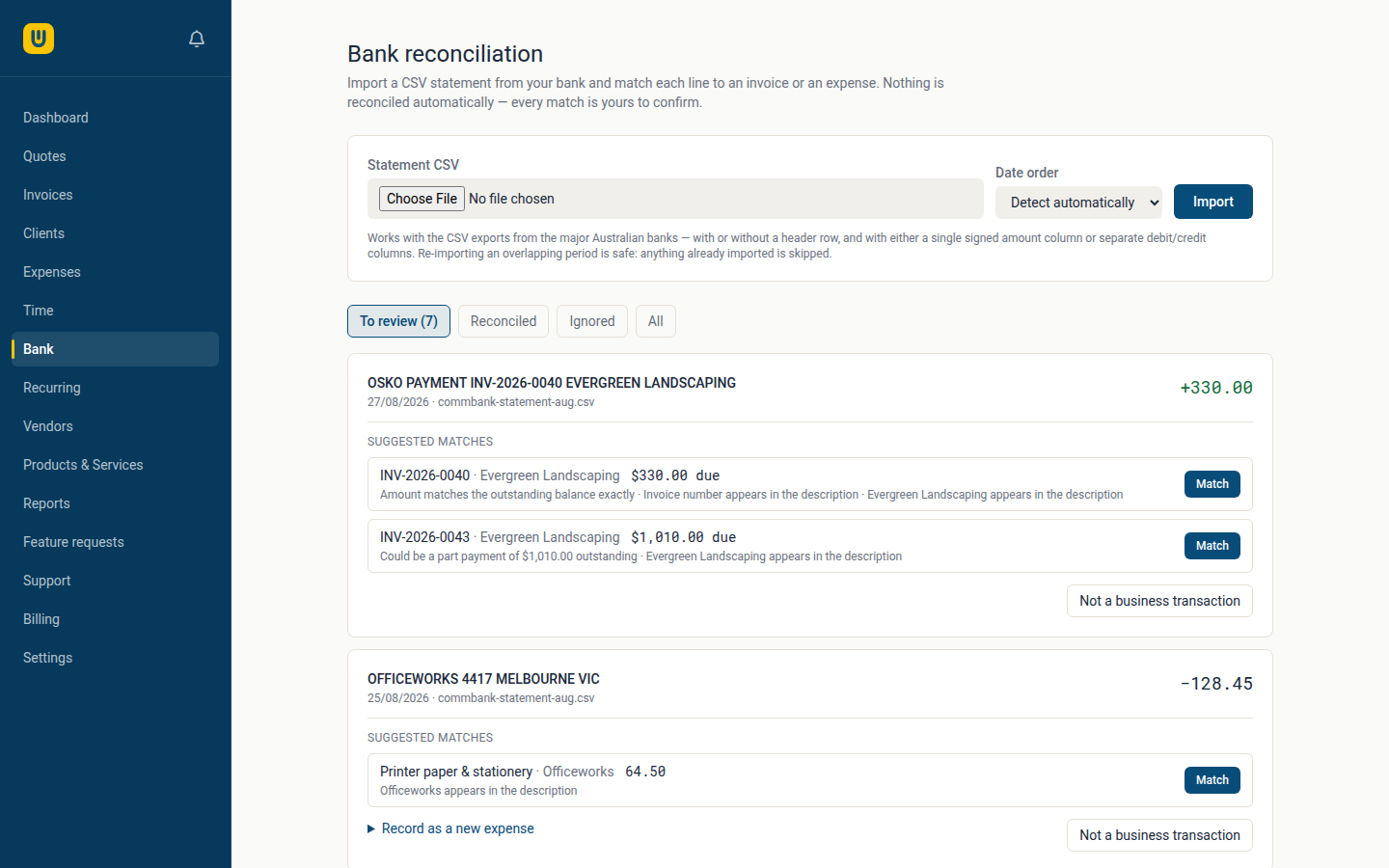
Export a CSV statement from your bank, upload it, and every line lands in a review queue. Webrox suggests what each one probably is — and tells you why it thinks so — but nothing is reconciled until you confirm it.
- Match money in to an invoice and it's recorded as a real payment, deposits included
- Match money out to an expense you've already entered, or create the expense straight from the bank line
- Every suggestion explains itself — "amount matches the outstanding balance exactly", "invoice number appears in the description"
- Works with the CSV exports from the major Australian banks, header row or not
- Re-importing an overlapping period is safe — anything already imported is skipped
- No bank login required, and Webrox never asks for your internet banking details
Reports your accountant will actually thank you for
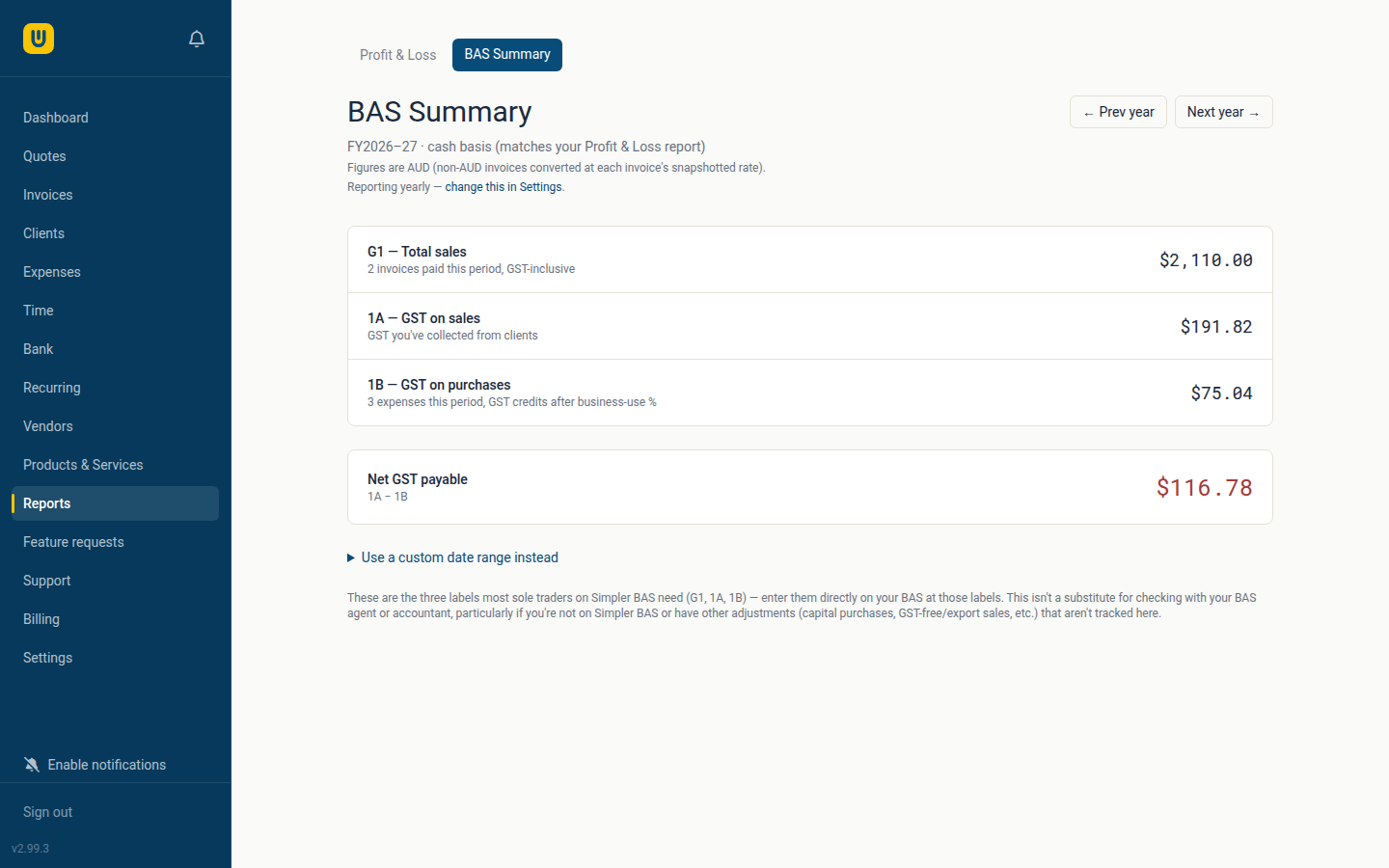
GST is calculated correctly on every invoice and expense, automatically. When it's time to lodge, Webrox lays out exactly what goes on your BAS.
- Profit & Loss report, cash basis, for any financial year or custom range
- BAS Summary — the G1, 1A and 1B figures, ready to enter
- Monthly, quarterly or yearly BAS reporting periods
- A dashboard view of outstanding, overdue and paid-this-month at a glance
Let clients help themselves
Invite a client to their own secure portal to view every invoice you've sent them, download a statement, and pay online — by card via Stripe or through PayPal, straight from the invoice.
- A branded, no-login payment page on every invoice
- Optional full client portal with its own login
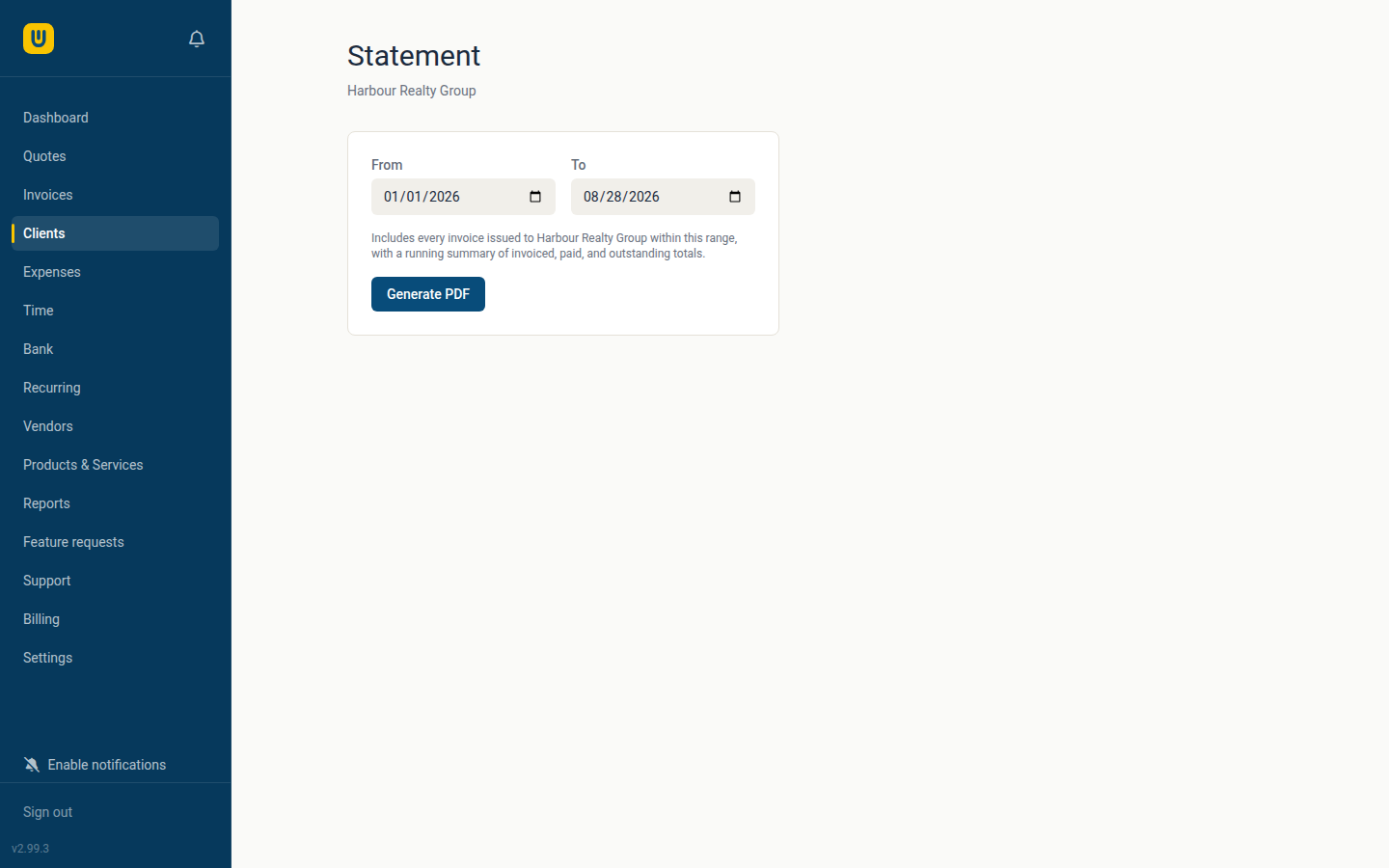
- Clients can download their own statements for a date range
- Partial and full refunds, tracked properly for your reports
Take a deposit up front, get the balance later
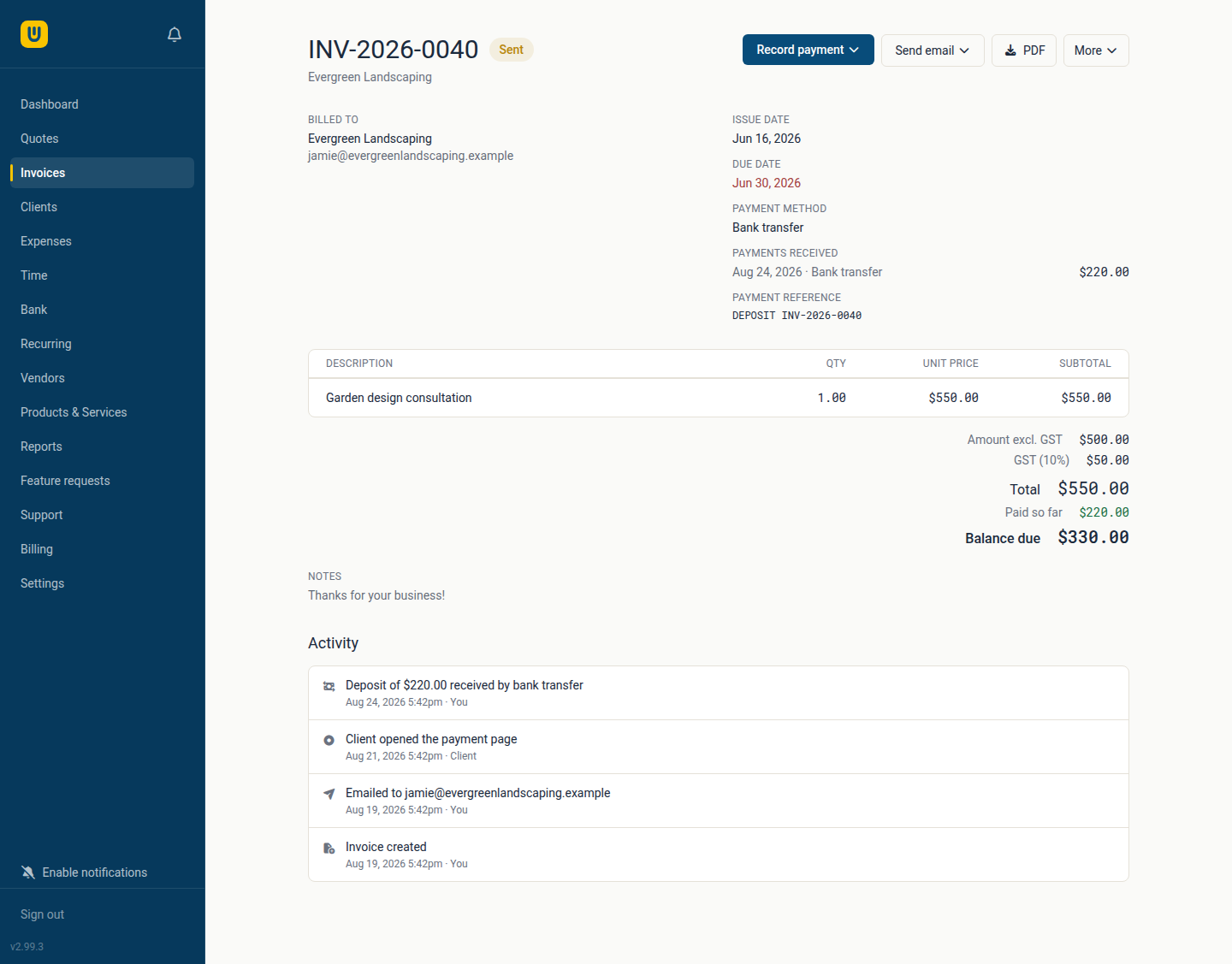
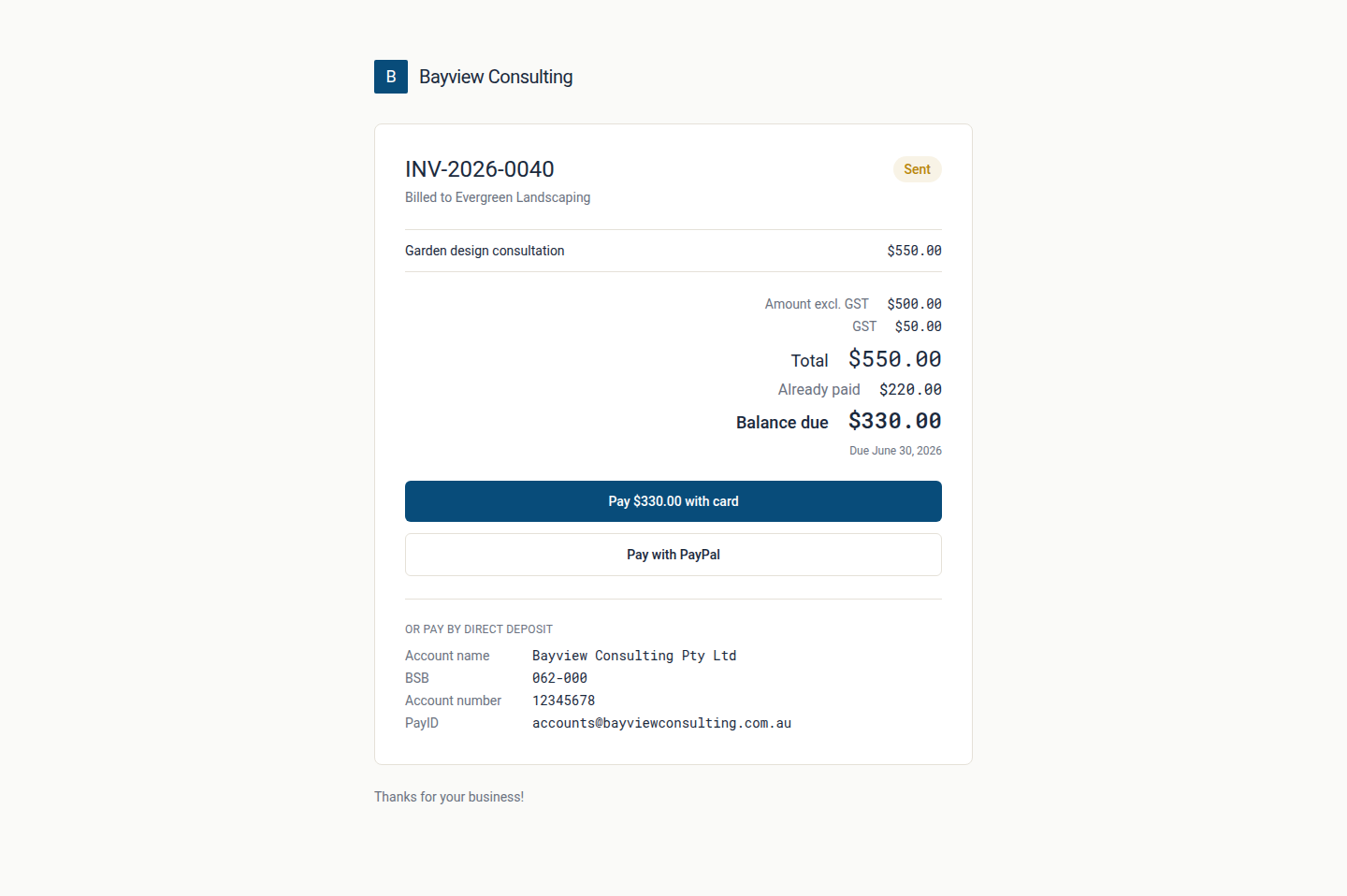
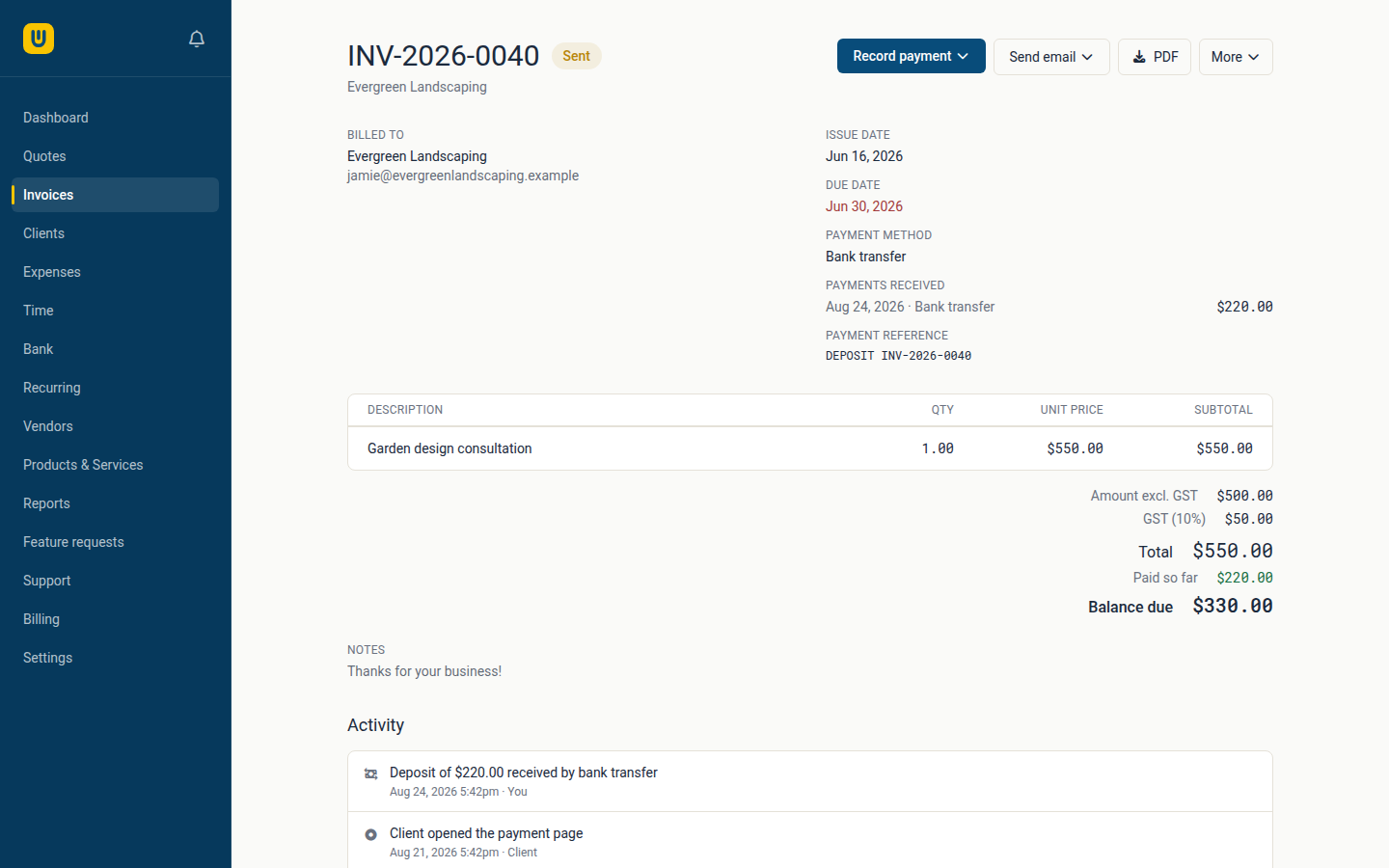
Fifty percent on acceptance is normal for a lot of work, so an invoice doesn't have to be all-or-nothing. Record a deposit against it and the invoice tracks what's been paid and what's still owed — on screen, on the PDF, and on the page your client pays from.
- Record a part payment any time — the invoice only flips to paid once the balance is actually covered
- Your client's payment page charges what's still outstanding, never the original total
- The PDF says "Balance due", so nobody is asked twice for money they've already sent
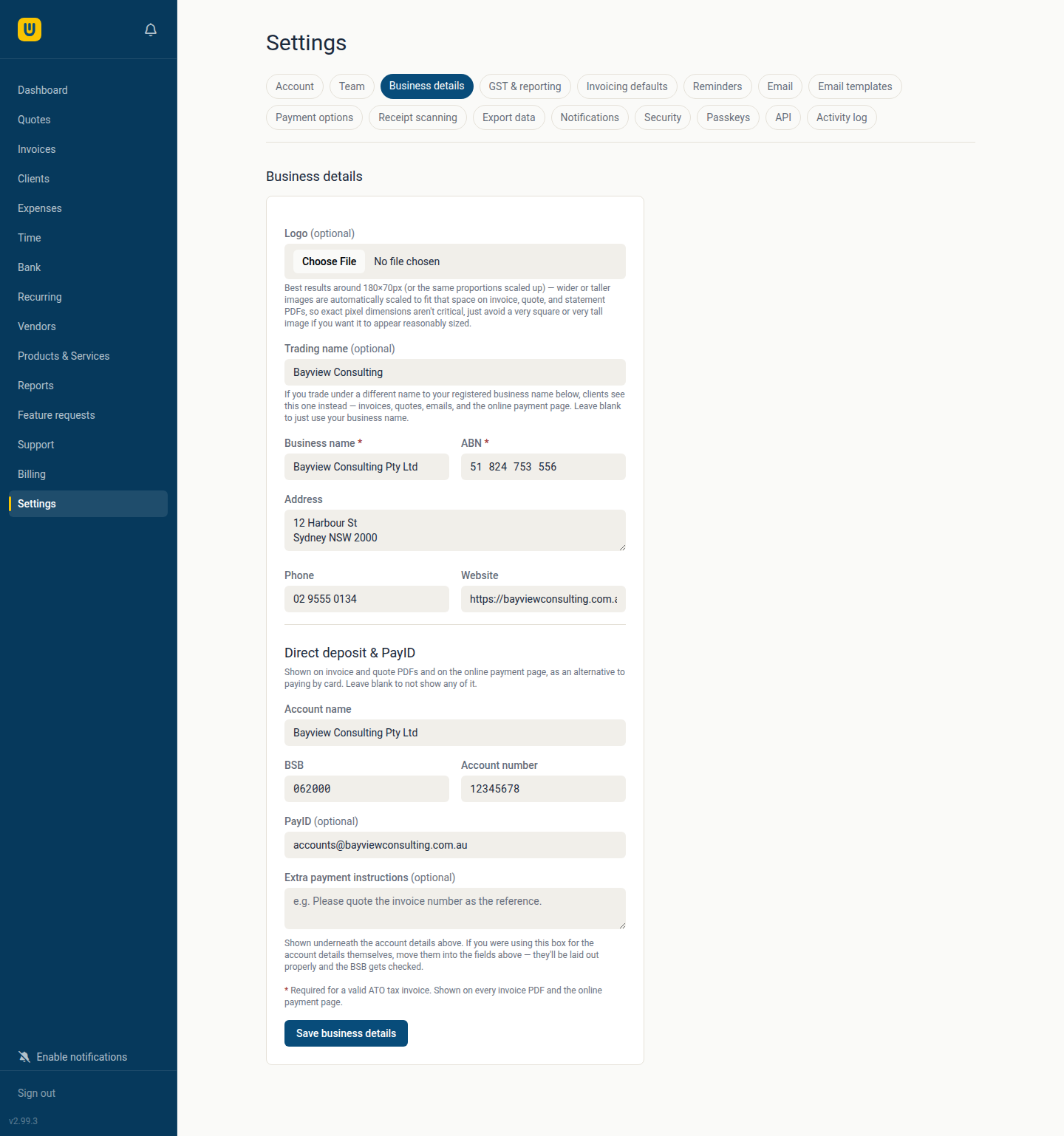
- Bank transfer and PayID details on every invoice, quote and payment page — for clients who'd rather not use a card
- A deposit in one quarter and the balance in the next land in the right BAS period, separately
Room to grow, without losing control
Add team members with their own logins as your business grows. Everyone gets modern, secure sign-in options, and every important action is recorded in an activity log.
- Multiple staff logins with owner/member roles
- Two-factor authentication and passkey (fingerprint/face) sign-in
- A full activity log — who changed what, and when
- Automatic, downloadable backups
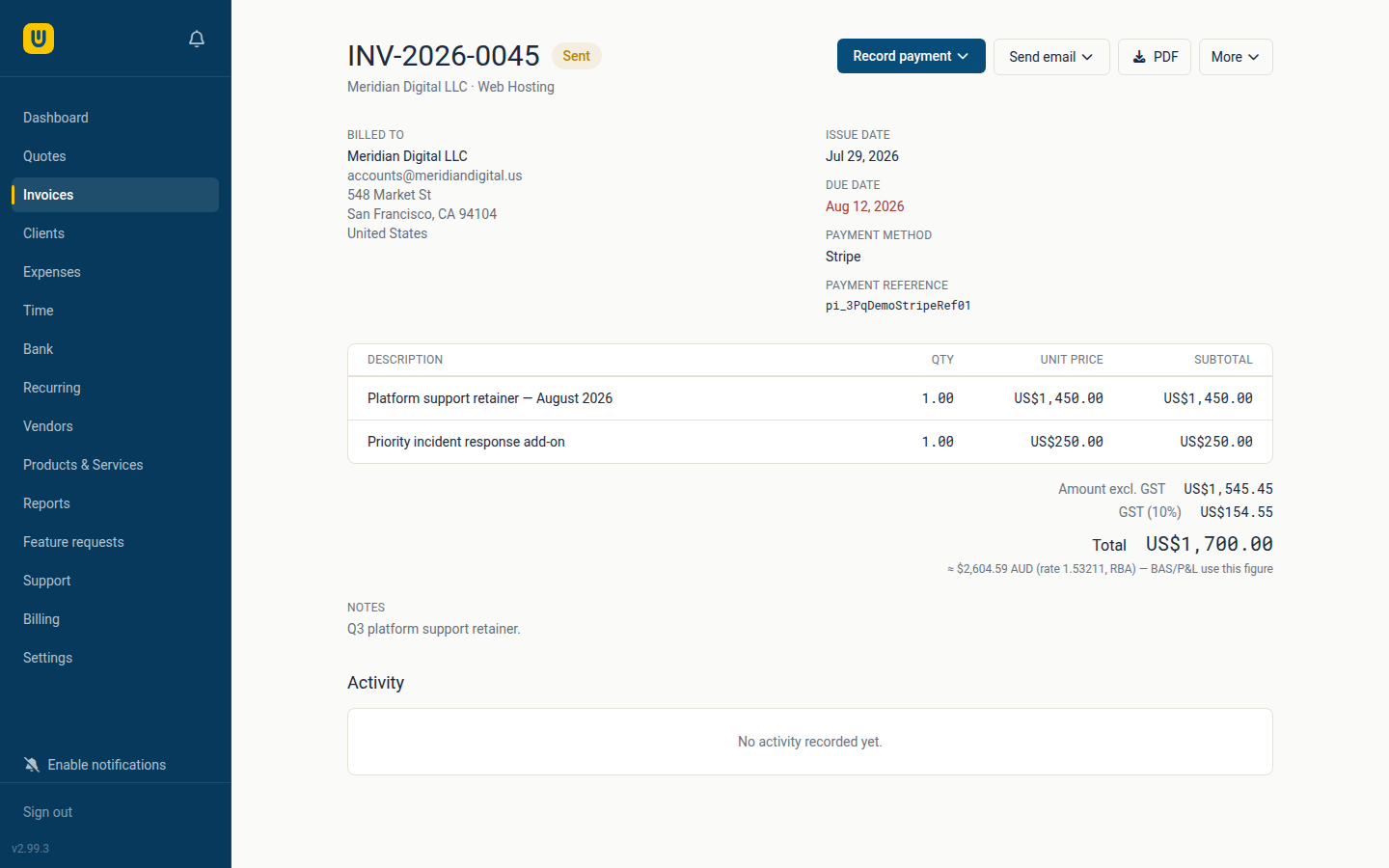
Bill overseas clients without the guesswork
Invoice or record an expense in a foreign currency, and Webrox converts it back to AUD using official Reserve Bank exchange rates — automatically, so your GST and reports are always right.
- Invoice and expense in the currencies you choose
- Daily exchange rates from the RBA, applied automatically
- Every report and total available in its AUD-equivalent value
One less thing to remember every month
Turn it on once per client and Webrox takes care of the rest. On the 1st of every month, each opted-in client is automatically emailed a PDF statement summarising everything invoiced, paid and still outstanding for the month just gone.
- Enable or disable per client — off by default, nothing sends until you choose it
- Covers the preceding calendar month: invoiced, paid and outstanding totals, plus the full invoice list
- The exact same PDF you'd get from a manual "Download statement" — just sent automatically
- Runs on its own schedule — no reminder to set, nothing to remember to send
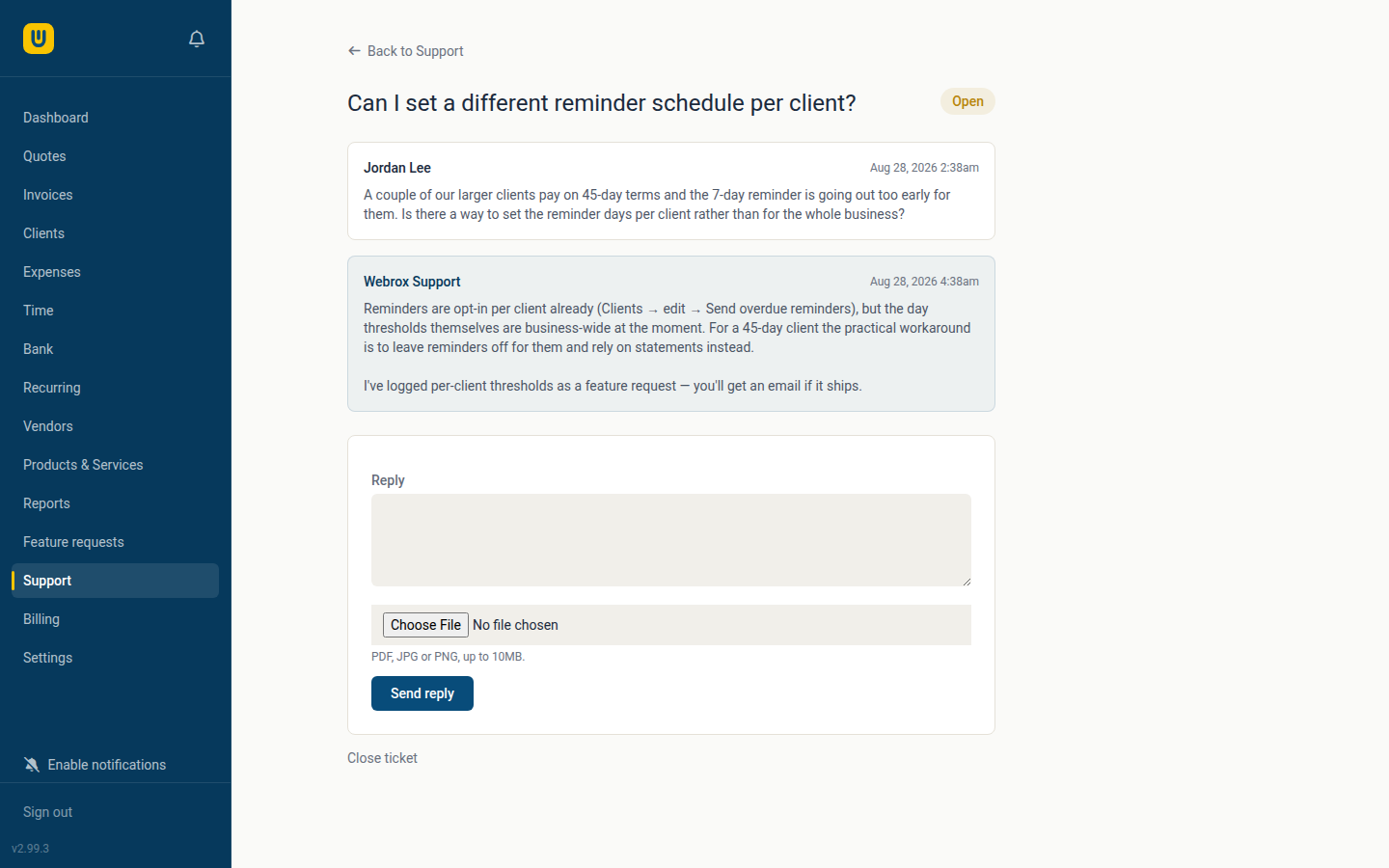
A real person, without leaving the app
Stuck on something, or found a bug? Raise a ticket right from Support in the sidebar — no separate helpdesk login, no digging up an email address. We reply in the same thread, and you'll get a notification the moment we do.
- Built into the app — nothing to sign up for separately
- Attach a screenshot or file to explain what you're seeing
- A ticket reopens automatically the moment you reply again
- Every reply emailed to you too, in case you're not logged in
Your data is always yours
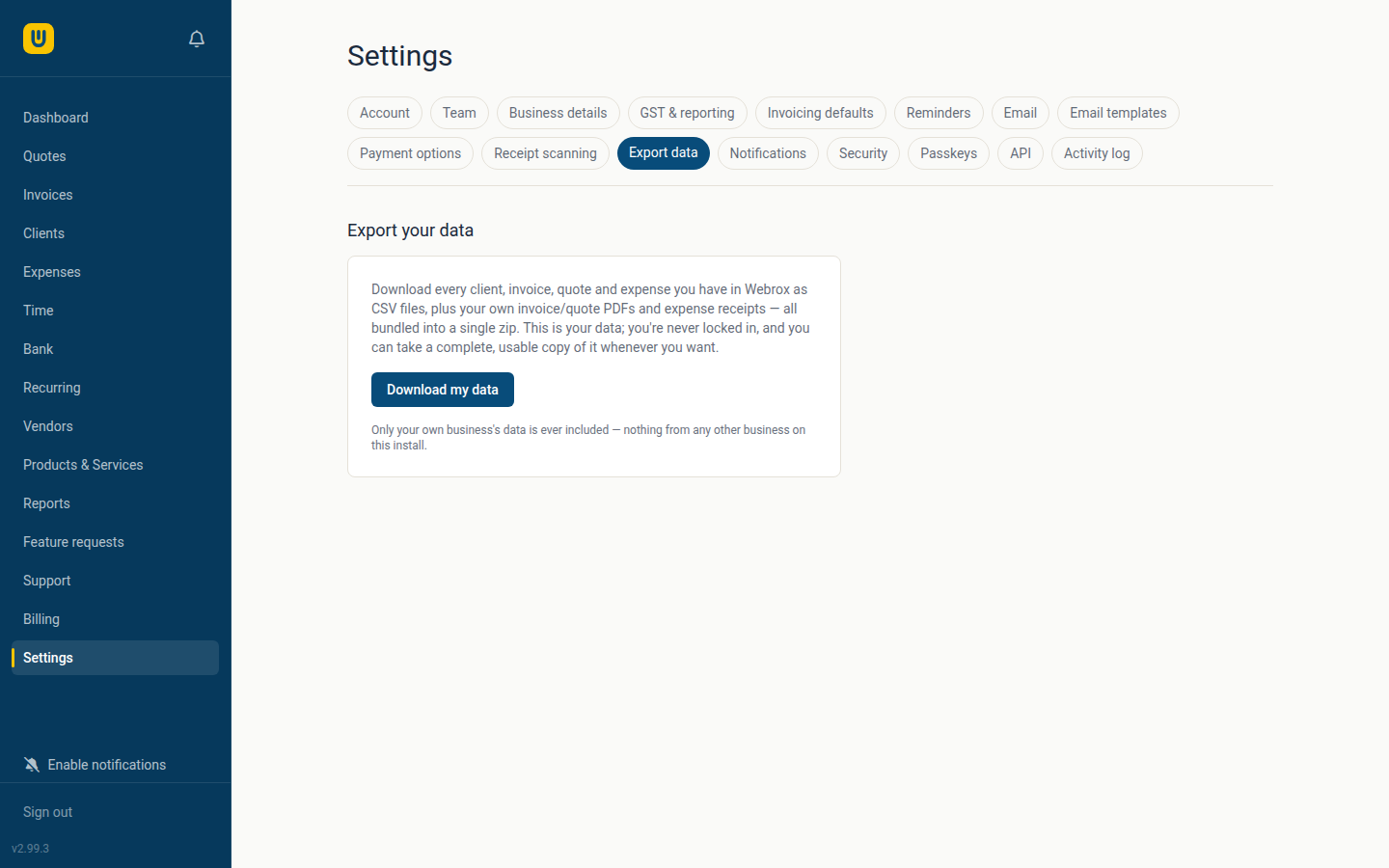
One click, anytime, gets you every client, invoice, quote and expense you've ever recorded — as CSV files you can actually open and use, plus your own invoice/quote PDFs and expense receipts, all bundled into a single zip. Invoice numbers included, always.
We'd rather earn your business every month by being genuinely useful than by making it hard to leave. If you ever do, you walk out with a complete, usable copy of everything — not a partial export with the details that matter quietly missing.
- Every client, invoice, quote and expense as CSV
- Your own invoice/quote PDFs and expense receipts included
- One download, whenever you want it — no waiting, no support ticket
- Only ever your own business's data, never anyone else's